Set up your own Telegram bot for SoftLogix
A quick, one-time setup so your alerts and messages arrive through a Telegram bot and channel that belong to you. Every screen below has its own picture — just match what’s on your phone to the screenshot.
4 steps · about 5 minutes · no technical experience needed
- 01
Generate a bot token
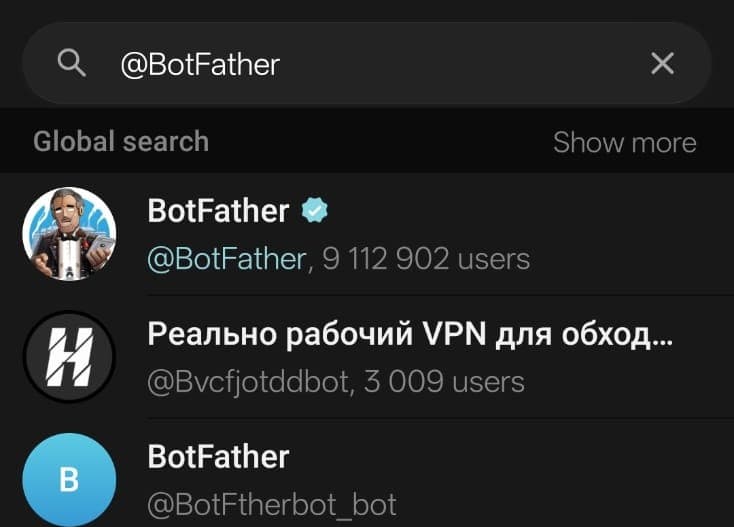
aTap the search icon in Telegram and type @BotFather. Pick the result with the blue checkmark and 9M+ users — the others (like the plain blue “B” icon below it) are lookalikes with no checkmark.
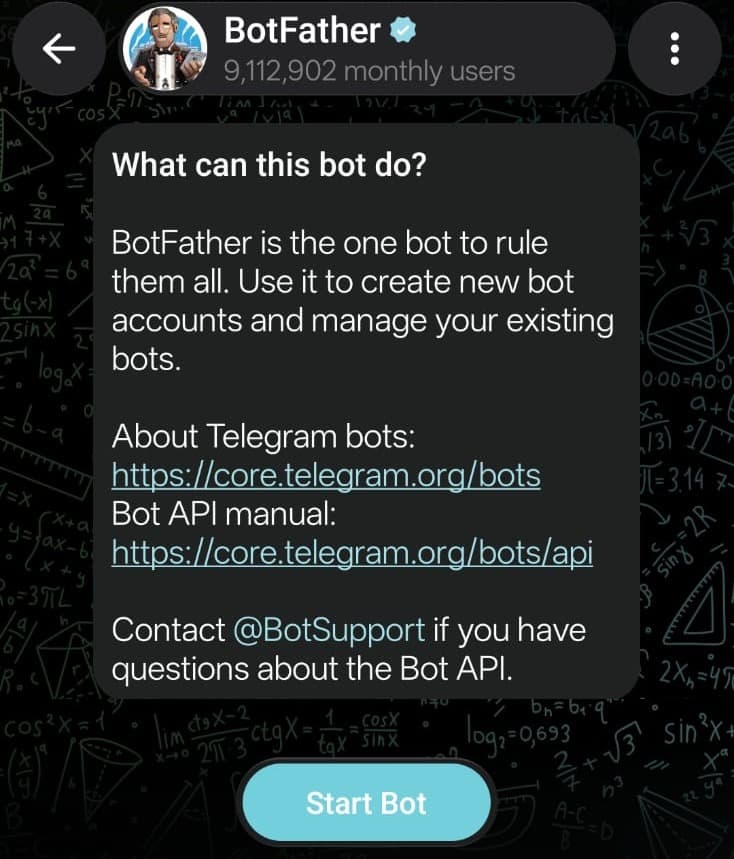
bOpen that result, glance at the intro card, then tap Start Bot.
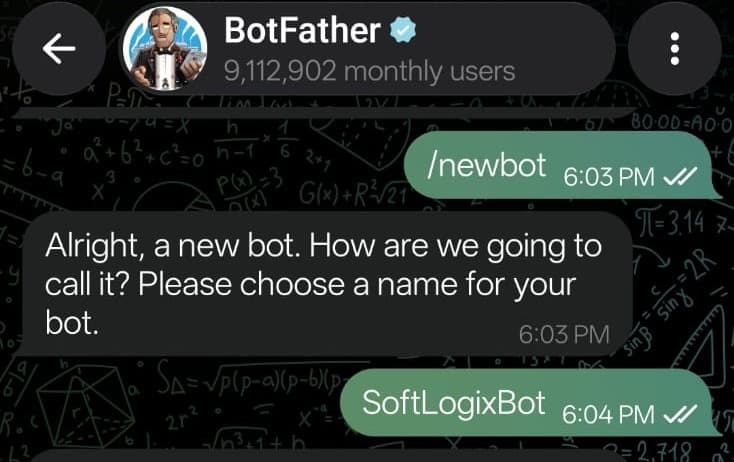
cSend
/newbot, then reply with a display name of your choice — e.g. SoftLogixBot (that’s just our example; use any name you like).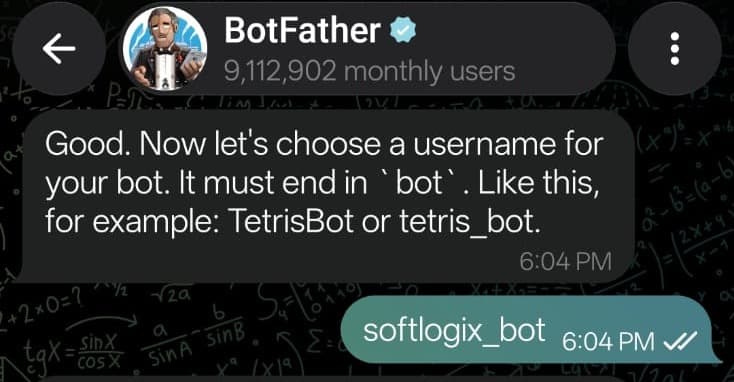
dReply again with a username ending in “bot” — e.g. softlogix_bot (our example). Pick your own, and make a note of it — you’ll need it in Step 3.
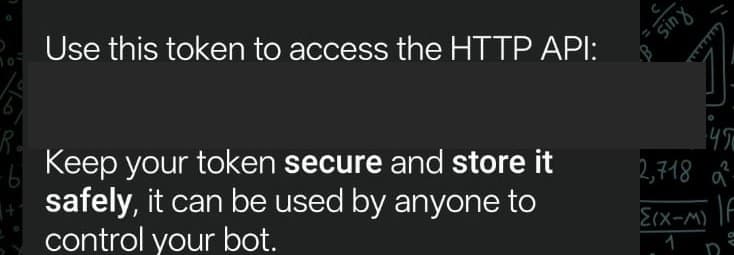
eBotFather replies with a token right after “Use this token to access the HTTP API:” — tap and hold it, then tap Copy.
Keep this token private — it’s your bot’s password. You’ll send it to us in step 4. - 02
Create a channel
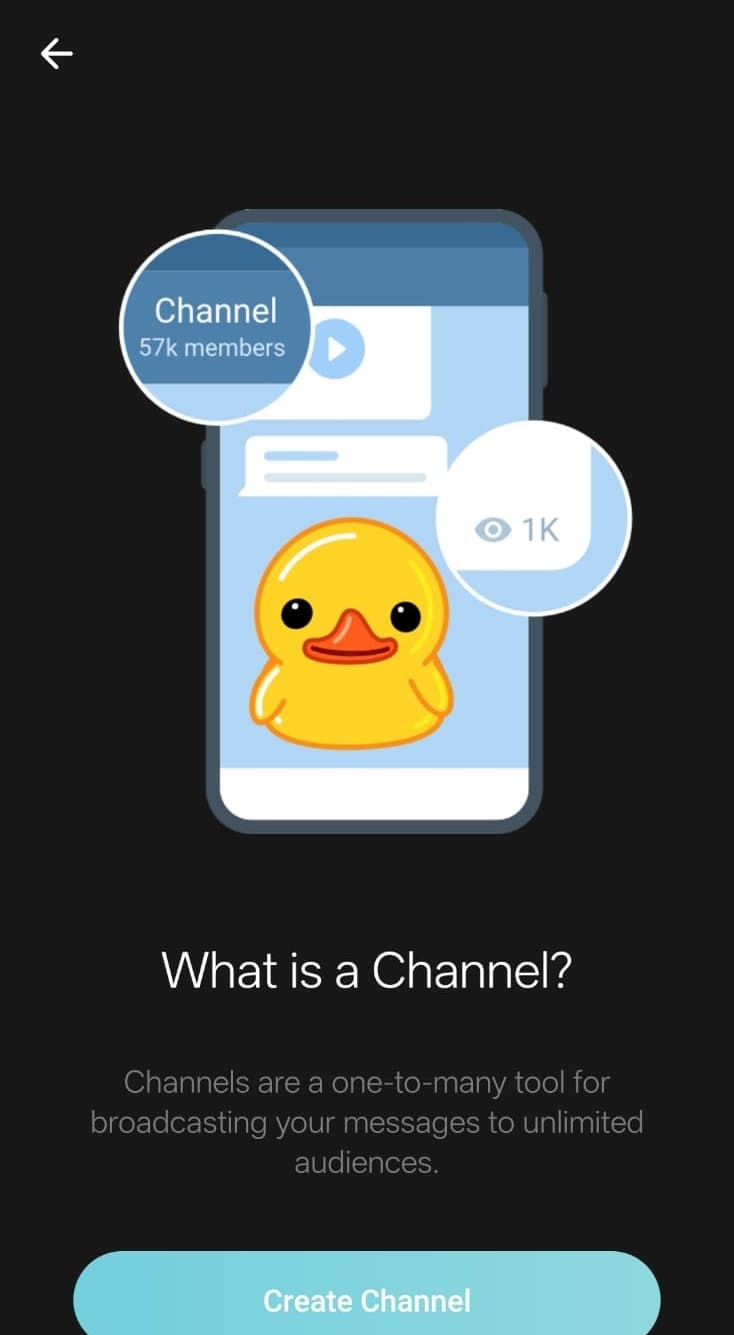
aTap the new-chat icon at the bottom of your chat list, then choose New Channel.
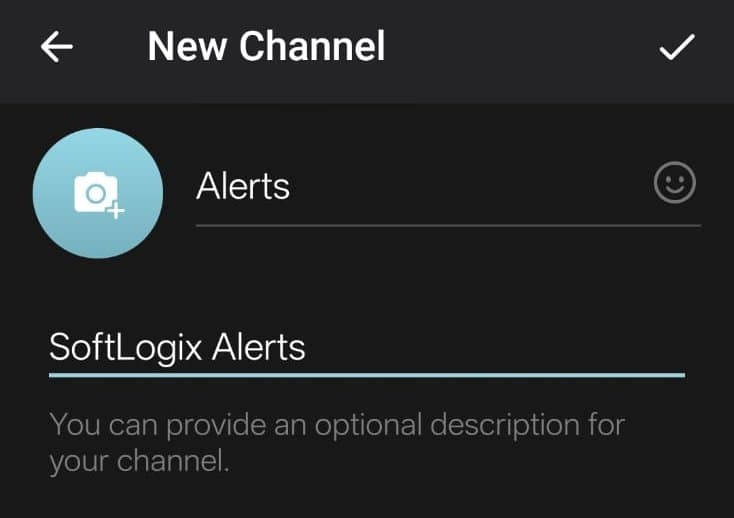
bName it — e.g. “YourCompany Alerts” — then tap the checkmark.
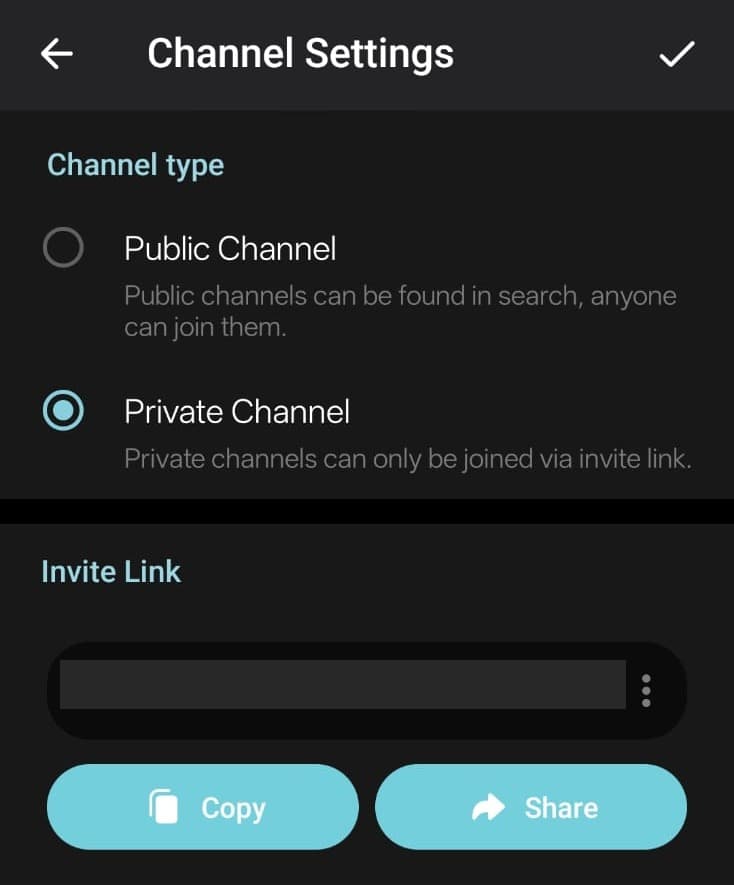
cTelegram asks Public or Private — Private is fine, it’s already selected by default.
- 03
Add the bot as an admin
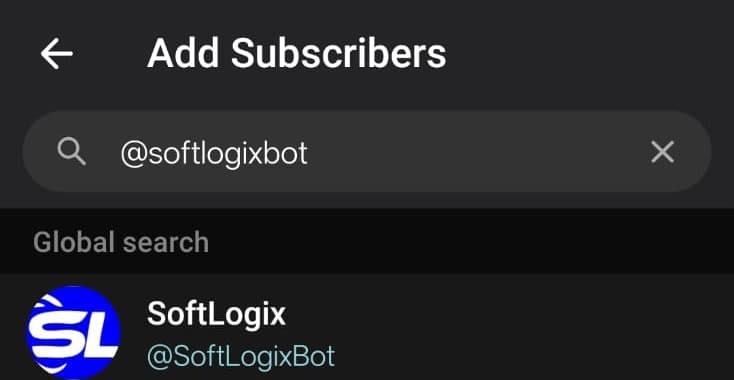
aOpen the channel → tap its name → Subscribers → Add subscribers, then search for the username you chose in Step 1 (the one ending in “bot”). The screenshot shows softlogix_bot — that’s our example bot, not something to type. Search for your username.
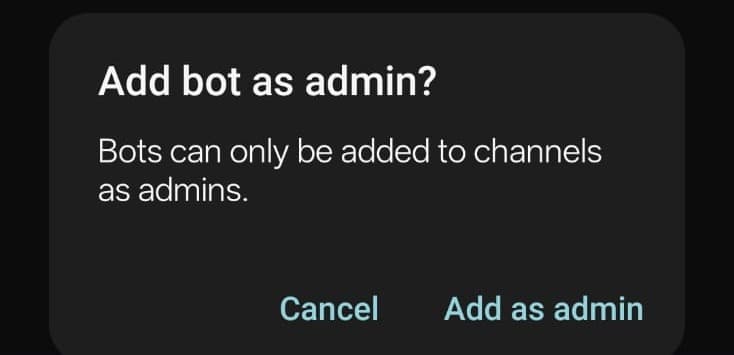
bTap it in the results — Telegram will ask to add it as an admin instead of a subscriber. Confirm.
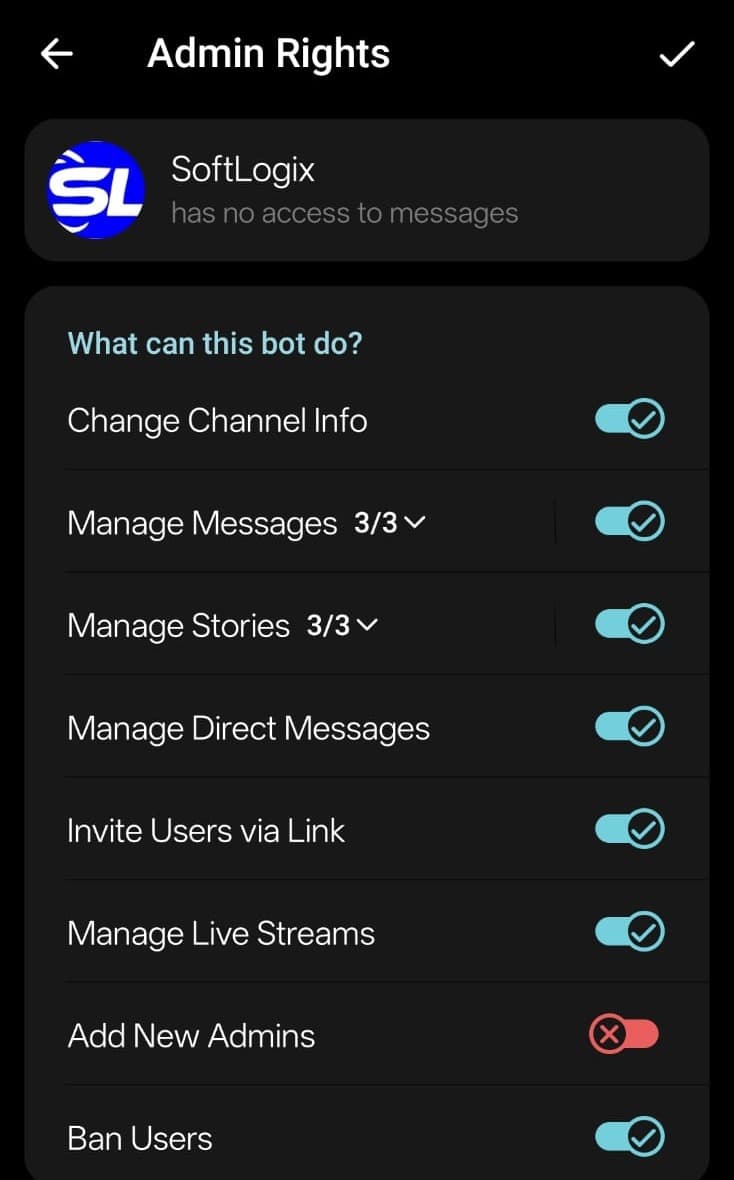
cOn the Admin Rights screen that appears, tap the checkmark at the top to confirm — the default permissions are fine.
Use your own bot’s username from Step 1 — not the example from the screenshots. Once the bot is added, send one test message to the channel — even “Hi”. No chat ID needed: the token plus that first message is enough for us to find the right chat. - 04
Send us the token
Send us the token from step 1. We’ll finish wiring it up and confirm once messages are flowing.
Keep your bot token private
The token acts like a password — anyone who has it can send as your bot. Share it only through email or WhatsApp above, never in a public chat. Think someone else saw it? Reopen your chat with @BotFather (or search for it again) and send /revoke for a fresh token, then send us that one instead.